
ITSC Program Events
1-Hour Sessions on Sunday, February 15, 2009, 7:30 p.m.~8:30p.m.
Preparing Your Students: Protecting Kids Online
Garden C: Detective Micah SmithDo you use technology in the classroom? Do you teach kids to find information, collaborate, and share ideas using the Internet? Of course you do! But, are you preparing them to deal with the potential dangers many kids face online and using technology. One in 7 kids receive a sexual solicitation online, and 1 in 3 kids report being cyberbullied. Attendees of this session will learn from Detective Micah Smith of the Linn County Sheriff's Office about the dangers kids and teens face online. Information will also include the ways gaming systems, cell phones, web cams, and virtual world websites are creating new dangers for kids. (The information in this presentation is applicable for students of all ages.) Website Info
Oregon's New Educational Technology Standards: Connections to Content
Cascade C: Carla WadeDiscover how the new Oregon Educational Technology Standards connect to Science, Math, Language Arts, Social Studies and more. Participants will have the opportunity to use tools such as iTunesU K-12, ODE's REAL site, and Thinkfinity as they integrate Ed Tech Standards into teaching and learning.
Establishing an Online Personal Learning Network
St. Helens A: Claire HertzIn this session, we will play with on line tools to create our own personal learning network and converse with educators from around the world. Twitter (micro-blogging in 140 characters or less) and Ning (social network) will be explored by class participants.
Highly Effective Mathematics Using Technology
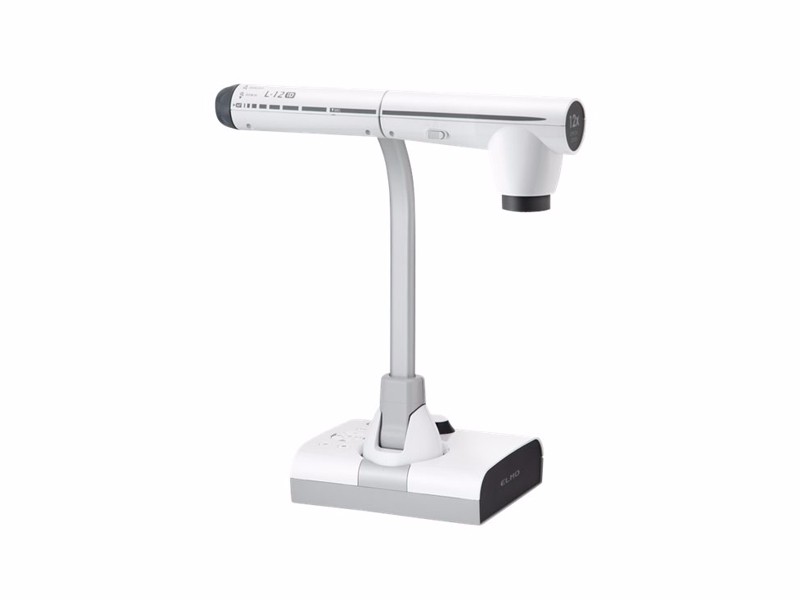
St. Helens B: Teresa MyersDuring this session, participants will experience using document cameras and student response systems to increase math discourse. South Lane School District's math coach and studio math teacher will also share a highly effective professional development model being used in South Lane and some additional technology tools being used to increase math discourse in their classrooms.
Google Earth Basics
St. Helens C: Lynn LaryGoogle Earth is a powerful tool, although many people have only used it to find their own home or other place that is special to them. Join us for a short overview of some of the lesser known features and a review of the navigation tools. This short session will be helpful for those who are attending the Google Earth Classroom Projects workshop.
Digital Poetry and Riddles ~ First Movie Projects
St. Helens D: Jennifer GingerichEngage and challenge your students in the art of movie making by creating Digital Poetry or Digital Riddles based on your curriculum. Learn how to weave together photos, sounds, music, text, and narration using iMovie or PhotoStory. Get tips for managing a first movie project and for using a Digital Kit.
Q & A with Sir Ken Robinson
Mt. Adams: Sir Ken RobinsonTakeaways include: How education wastes more talent than it saves; the three core objectives of 21st Century education; why we're all smarter than we think; what schools and colleges should do; and how governments should help.
This is Not a Quiz; Using Clickers to Enrich Instruction
Cascades A/B: Kelly BeaudryTeachers can use clickers to effectively assess student progress through quizzes and tests, but this barely scratches the surface of the technology. In this session you will learn ways to use this tool to enrich instruction, such as science data collection, daily math instruction, language arts discussions and more.
1-Hour Sessions on Monday, February 16, 2009, 2:30 p.m. - 3:30 p.m.
Historical Documentaries
St. Helens A: Jennifer GingerichEngage and challenge your students in the art of movie making by creating Historical Documentaries using PhotoStory or iMovie. Learn how to weave together photos, music, text, and narration to allow your students to step back in time and tell their stories. Get tips for managing student projects by keeping the project well defined, structured, and most importantly by using a Digital Kit.
Copyright, Fair Use, Intellectual Property & for Educators
St. Helens B: Wesley FryerTeachers, principals, and students all need to understand not only the basics of US copyright law as they relate to the creation and publication of media products, but also the opportunities presented for LEGAL remixing and reuse of media materials licensed through Creative Commons. This session presents practical suggestions for schools, educators, and students to avoid intellectual property liability problems and empower learners to LEGALLY create as well as share a wide variety of media/knowledge products on the global stage. We will focus specifically on fair use provisions of US copyright law and address common misperceptions about fair use which often inhibit/chill legal educational uses of multimedia materials. I am not a lawyer, so for legal advice you should consult one and not me. Educators need to know about these issues, however, and so do students. The facts and resources discussed here may surprise you. If you use them, they're almost certain to empower you!
Play. Share. Have fun with the iPhone/iTouch
St. Helens C: Lynn LaryCurious about the iPhone or iTouch? Have one and want to learn more? Join us to share top applications. Discuss ways to use in the classroom. Don't have one? No worries, we will loan you an iTouch to try.
The Cognitive Art of Educational Technology: Getting What's on the Screen into your Students' Long-Term Memory
St. Helens D: Patrick CrispenCan changing a few things in your PowerPoint presentations, web sites, and other technology-based teaching aids really improve your students' performance and learning? In a word, yep. In this fast paced, one-hour presentation we'll discuss, in plain English, how your students process what they see on the screen and what research-based educational technology design and teaching methods either support or inhibit long-term learning.
Preparing Your Students: Protecting Kids Online
Garden C : Detective Micah SmithDo you use technology in the classroom? Do you teach kids to find information, collaborate, and share ideas using the Internet? Of course you do! But, are you preparing them to deal with the potential dangers many kids face online and using technology. One in 7 kids receive a sexual solicitation online, and 1 in 3 kids report being cyberbullied. Attendees of this session will learn from Detective Micah Smith of the Linn County Sheriff's Office about the dangers kids and teens face online. Information will also include the ways gaming systems, cell phones, web cams, and virtual world websites are creating new dangers for kids. (The information in this presentation is applicable to all ages of students) Website Info
Inexpensive Interactive Whiteboard Using a Wii Controller
Cascade C: John SperryThis project demonstrates the process developed by Johnny Lee of Carnegie Melon University of utilizing a Nintendo Wii game controller to make a cheap interactive whiteboard for your classroom. See the Johnny Lee's video presentation of the whiteboard.
NETS*A - National Educational Technology Strategies for Administrators
Garden A/B: Carla WadeOur goal is to obtain feedback from educators across Oregon and around the world to develop administrator standards that reflect the demands and needs of digital age learners. Since June 2008, ISTE has been collecting feedback on the NETS*A 2002 that will help guide revisions. This is an opportunity for Oregon Educators to provide input.
Writing and Publishing Online
Cascade A/B: Nick VianiThe WriteSite supports content area writing by providing an environment for students to post, read critically, respond to peers, revise, and publish online. Teachers in upper-elementary through degree-granting schools will leave with strategies for how to easily utilize the collaborative power of the Web.
COOL & PRACTICAL Tips and Tricks, and Moviemaking
Mt. Adams: Marco Torres
Super cool and super quick moviemaking tips for the everyday classrooms, this session will cover quick planning tips, effective production ideas, practical post production workflows, and delivery options for our classrooms today.
1-Hour Sessions on Monday, February 16, 2009, 3:45 p.m. - 4:45 p.m.
Inspired Investigations
St. Helens A: Jennifer GingerichExperience a digital investigation, complete with photos, sounds, videos, and web sites, that will inspire your students to think critically and document their learning. Using Inspiration v.8, participants will learn how to create these investigations for students that support the curriculum, address the standards and differentiate their instruction.
Copyright, Fair Use, Intellectual Property for Educators
St. Helens B: Wesley FryerTeachers, principals, and students all need to understand not only the basics of US copyright law as they relate to the creation and publication of media products, but also the opportunities presented for LEGAL remixing and reuse of media materials licensed through Creative Commons. This session presents practical suggestions for schools, educators, and students to avoid intellectual property liability problems and empower learners to LEGALLY create as well as share a wide variety of media/knowledge products on the global stage. We will focus specifically on fair use provisions of U.S. copyright law and address common misperceptions about fair use which often inhibit/chill legal educational uses of multimedia materials. I'm not a lawyer, so for legal advice you should consult one and not me. However, educators need to know about these issues, and so do students. The facts and resources discussed here may surprise you. If you use them, they're almost certain to empower you!
Play. Share. Have fun with the iPhone/iTouch
St. Helens C: Lynn LaryCurious about the iPhone or iTouch? Have one and want to learn more? Join us to share top applications. Discuss ways to use in the classroom. Don't have one? No worries, we will loan you an iTouch to try.
The Cognitive Art of Educational Technology: Getting What's on the Screen into your Students' Long-Term Memory
St. Helens D: Patrick CrispenCan changing a few things in your PowerPoint presentations, web sites, and other technology-based teaching aids really improve your students' performance and learning? In a word, yep. In this fast paced, one-hour presentation we'll discuss, in plain English, how your students process what they see on the screen and what research-based educational technology design and teaching methods either support or inhibit long-term learning.
Online Staff-Student Contact: When Worlds Collide
Garden C : Detective Micah SmithAs educational staff push for students to use the internet and technology for learning, they too venture online seeking out new resources, connecting with colleagues, and potentially chatting with students. Detective Micah Smith, Computer Crimes Detective for the Linn County Sheriff's Office, will lead a discussion on how staff come in contact with students online, ways staff can protect themselves when having contact with students online, and talk about district policy issues that can result in the termination of staff for online contact with students. Detective Smith will present several case studies and offer ideas on how to educate staff of this growing problem through in-service training.
Inexpensive Interactive Whiteboard Using a Wii Controller
Cascade C: John SperryThis project demonstrates the process developed by Johnny Lee of Carnegie Melon University of utilizing a Nintendo Wii game controller to make a cheap interactive whiteboard for your classroom. See the Johnny Lee's video presentation of the whiteboard.
COOL & PRACTICAL Tips and Tricks, and Moviemaking
Mt. Adams: Marco TorresSuper cool and super quick moviemaking tips for the everyday classrooms, this session will cover quick planning tips, effective production ideas, practical post production workflows, and delivery options for our classrooms today.
Establishing an Online Personal Learning Network
Garden A/B: Claire HertzIn this session, we will play with on line tools to create our own personal learning network and converse with educators from around the world. Twitter (microblogging in 140 characters or less) and Ning (social network) will be explored by class participants.
Dawn to Dusk: A Day in the Life of a Tech-Enriched Classroom
Cascade A/B : Kelly BeaudryLet's say you've got some great technology tools, but you're not quite sure what to do next! Come be a student in a classroom that has it all and experience glimpses of an environment that blends use of clickers, SMART boards, wireless slates, cameras and more.
Vendor Affair I: Sunday, February 15, 2:30 ~ 3:30 p.m.
Come support our vendors who sponsor to present. By sponsoring they help keep conference costs low, and provide the food for all ITSC participants.
Engage and Energize Your Classrooms with eInstruction
Cascade A/B: Dottie CovenBeing engaged in the classroom is one of the keys to deep learning. Come to learn more about how using a student response system in conjunction with student and teacher Pads can help teachers to actively engage all students in classrooms with ever increasing numbers, check student understanding throughout a lesson, provide on-going real-time feedback during lessons, provide opportunities for cooperative learning, integrate with existing Exam View question banks, differentiate instruction based on student understanding, and efficiently assess and record student knowledge. See examples of how teachers can use these tools to make learning visible and take learning to a deeper level using quality questioning strategies during instruction.
Using Projection Technology in the Classroom
St. Helens D : Rob MurphyStudents have short attention spans - it's the plain and simple truth. Adding projectors to the classroom provides teachers with an edge and a valuable educational tool to help increase retention rates and overall class productivity. InFocus has created the perfect program for classrooms. Exclusive benefits for educators include: 1) Products designed specifically for education, 2) Industry-best warranty programs, 3) Maintenance-free projection that extends projector life and 4) Outstanding pricing and knowledgeable sales support. To learn more about utilizing projection technology while we showcase the latest Epson products, as well as, discussing ways to put projectors to use with other learning tools (document cameras, white boards, wireless laptops and more) with the intent of helping you grow overall class participation and audience retention.
What's New with Discovery Education
St. Helens A: Mike BotteLearn why over half of all U.S. schools power their curricula with Discovery Education streaming. Join us whether you are a current subscriber to Discovery Education's digital media services or you are interested in learning more about resources to engage technology-savvy students. Experience the latest content and enhancements to Discovery Education streaming, Discovery Education Science, Discovery Education Health, and Discovery Education MediaShare.
Digital Storytelling using the Adobe Digital School Collection
St. Helens B: Richard JenkinsJoin Adobe Systems for an informative session that will explore exciting ways in which educators can use the Adobe Digital School Collection to inspire and engage students. Learn about tools for digital storytelling, multimedia projects, and effective communication and collaboration. You will learn how to quickly and easily update websites and blogs with course content or student work. The Adobe Digital School Collection software package includes: Adobe Photoshop Elements 7, Premiere Elements 5, Adobe Contribute CS4, Acrobat 9 Professional and Soundbooth.
Experience the New Tools of Engagement from Apple
St. Helens C: Bob WhickerAt this hands-on event, you’ll test-drive the latest learning tools from Apple and discover how these innovative technologies can improve academic achievement and prepare students for success in the workforce. Explore engaging digital tools that facilitate cross-discipline, project-based learning and empower students as content creators through podcasting. Experience mobile technologies that extend learning beyond the classroom through the iPod Touch and applications through the Apple store.
Hands-on with KidBiz and TeenBiz
Garden C : Dave McMullenThis session will provide hands-on experience with KidBiz and TeenBiz, the industry leader in differentiated non-fiction literacy solutions for all levels of students. See for yourself why students are tripling expected Lexile gains using our engaging approach. Results for a wide range of student populations will be shared (SPED, ELL, mainstream, and TAG). For existing customers, please join us to see the new alignment to Oregon's ELL standards, try the new Home edition (for parents/guardians), and review ready-made units for content-area teachers.
The Next Technology Generation of Teaching and Learning Now
Mt. Adams: Bryan PlattExplore both the latest and recently released technologies from Microsoft and see their potential for the classroom. Dive into connected images from land-based and off-world satellites in a highly engaging and interactive environment. Learn about the new Surface computing. Learn about how you can view panoramic gigapixel images and learn about a technology that could connect the world's images into a three dimensional environment. Experience Microsoft's cloud computing approach and the new software plus services that connect students and teachers.
NEO 2 All day every day it the 21st Century Classroom
Garden A: Marvin ThompsonNEO 2 for primary through high school. The Three R’s right across the curriculum Integration strategies Engage in a hands-on 21st century classroom simulation as you see how NEO 2 engages all learners, facilitates communication, and provides seamless integration across the curriculum. We will see how to use NEO 2 in writing instruction, keyboarding instruction, assessment, Accelerated Reader quizzing, and more!
Activexpression: Multiple Inputs for Digital Learners
Garden B: Shawna MarshallNot all questions demand a black and white answer. In fact, many demand more than just a yes or no. It's the reason why Promethean has created Activexpression. This unique learner response system has the ability to perform multiple inputs such as having student's text complete sentences and then allowing the teacher to display the students text with a click of a button. Activexpression is a powerful device that allows teachers to ask the higher level questions. More importantly, it allows the digital learner to respond in ways that are familiar and engaging to them.
Energize, Engage, Motivate with Data Driven Individualized Learning!
Cascades C: Karon HaddawayMotivate your digital natives with engaging 7-12th grade standards correlated content that provides data driven individualized learning. Secondary Solutions (Credit recovery, Math intervention, and individualized prescriptive learning). All web based applications- available 24/7.
Vendor Affair II: Sunday, February 15, 3:35 ~ 4:30 p.m.
Come support our vendors who sponsor to present. By sponsoring they help keep conference costs low, and provide the food for
all ITSC participants.
What's New with Discovery Education
St. Helens A: Mike BotteLearn why over half of all U.S. schools power their curricula with Discovery Education streaming. Join us whether you are a current subscriber to Discovery Education's digital media services or you are interested in learning more about resources to engage technology-savvy students. Experience the latest content and enhancements to Discovery Education streaming, Discovery Education Science, Discovery Education Health, and Discovery Education MediaShare.
Adobe Acrobat 9 Professional
St. Helens B: Richard JenkinsLearn how Adobe Acrobat 9 Professional software can be used for so much more than creating PDF files. In this session, see how Acrobat 9 can help educators streamline the review process, enhance research and curriculum development, speed up archiving and the retrieval of information. Learn how to easily collect and organize information from a variety of sources into a rich PDF portfolio. Acrobat workflows can simplify and enhance teaching, research and administrative processes while providing safeguards that help keep confidential information private.
Experience the New Tools of Engagement from Apple
St. Helens C: Bob WhickerAt this hands-on event, you’ll test-drive the latest learning tools from Apple and discover how these innovative technologies can improve academic achievement and prepare students for success in the workforce. Explore engaging digital tools that facilitate cross-discipline, project-based learning and empower students as content creators through podcasting. Experience mobile technologies that extend learning beyond the classroom through the iPod Touch and applications through the Apple store.
What Do You Really Know About Accelerated Reader?
Garden D: Jim ChurchHow is Accelerated Reader used in your school? Learn about the program's historical and current potential to place great books in the hands of readers while affording classroom, schools, and district-level educators the opportunity to assess and impact reading growth of individual and whole-school populations with web-based real-time data.
The Next Technology Generation of Teaching and Learning Now
Mt. Adams: Bryan PlattExplore both the latest and recently released technologies from Microsoft and see their potential for the classroom. Dive into connected images from land-based and off-world satellites in a highly engaging and interactive environment. Learn about the new Surface computing. Learn about how you can view panoramic gigapixel images and learn about a technology that could connect the world's images into a three dimensional environment. Experience Microsoft's cloud computing approach and the new software plus services that connect students and teachers.
Components of a Digital Classroom
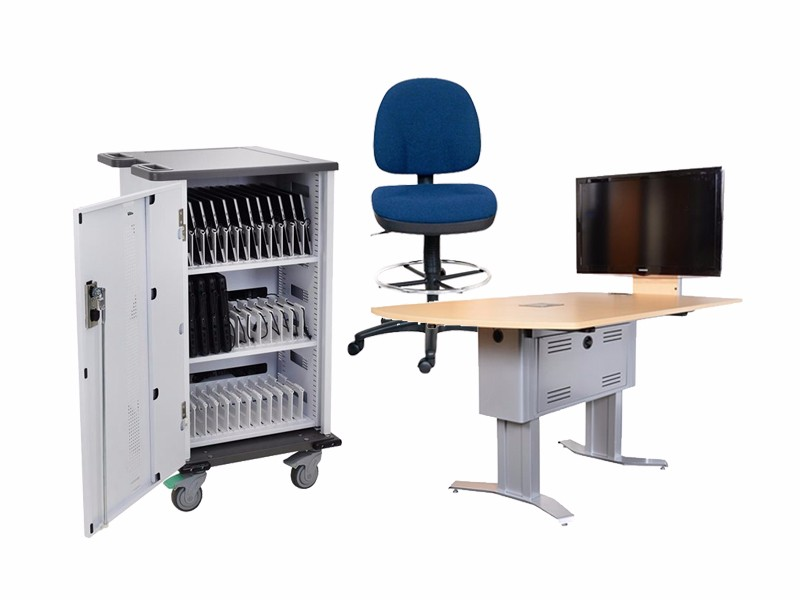
Cascade A/B: Bob FriedlerEverything is going digital! What about your classroom? Learn what to look for in a digital classroom from room configuration and specifications to individual components: projector, document camera, interactive whiteboard and sound amplification that make up a digital classroom. All pieces in a digital age that should be considered before you take the step to the 21st century classroom. Join us for this fun-filled session to see the future and make it a reality.
21st Century Learning Starts with Student-Lead Projects
St. Helens D : Joseph MachadoStudents today want to learn what they want to learn and how they want to learn it. So, how can we use technology to meet the needs of today's high-tech students in today's standards-based world? Technology is most effective in our classrooms when our students use it to gain a deeper understanding than they could without it. Together, we'll consider real examples of technology projects that engage students to deliver multi-dimensional, real-world projects while developing basic skills and applying higher-order thinking. Together we'll look at what works in classrooms!
Community and Professional Development: Using a Social Intranet
Garden A: Bill FitzgeraldLearn how to create and accumulate a knowledge base while supporting the daily work of people within your organization. This session will include hands-on demonstrations of how to work within the platform, and will include details on how to embed video, audio, images, and social interaction into a web-based intranet.
Putting Research to Practice in the Activclassroom
Garden B: Shawna MarshallPromethean's Activclassroom is an ideal opportunity for you to put what the research is saying about student instruction into practice. Come explore ways that the Activboard, Prometheans interactive whiteboard, and Activotes can enhance instructional research strategies such as identifying similarities and differences, goal setting, and nonlinguistic representation. In addition, find out what all the research says about classroom audio enhancement and how Promethean's new Activsound can help.
Technology Enhanced Instruction to Transform the K-6 Classroom!
Cascades C: Karon HaddawayShake up the status quo with Straight Curve Mathematics. Designed for the teacher who controls how and when the curriculum is used to complement lesson plans. Teachers use the power of technology to bring mathematic concepts to life: (engage students and reduce planning time with simple tools and support materials-without students going to the lab...mapped to the nations top textbooks and focused exclusively on the toughest concepts within numbers & operations, algebra, geometry, measurement and data analysis & probability). Sony's new PSP's offer a dynamic K-6 gaming curriculum to entice and motivate all learners. PLATO Achieve Now developed by experts in education and the gaming industry to create learning resources that motivate kids and get them excited to learn mathematics and reading. Complete with interactive software, teacher materials, professional development and student assessment. Educational gaming provides today's tech savvy learners the opportunity to interact with information in an increasingly familiar and dynamic way!